Call Tracking for agencies
Call Tracking is built for agencies that run marketing for businesses whose leads arrive by phone. The agency does the setup and reporting; the client owns the account and pays Enfonica directly.
How the agency model works
- You quote, the client pays. You create a quote in the Enfonica Console that names the plan and the client's details. The client accepts it and enters a card. Enfonica creates the client's account and bills the client each month. You never handle the client's phone bill, and the client gets a 10% discount for signing up through you. See Create and send a quote.
- You get access automatically. When the client accepts, your agency is linked to the client's project. Everyone on your team can open it from Clients. No per-client user accounts or passwords to manage. See Manage client sites.
- The client owns the account. The client owns its project, phone numbers, recordings and billing, and can ask Enfonica to remove your access. You can't see or change the client's payment details.
- Co-branded, not white-label. The quote email and quote page show your agency's name, email reports carry your logo, and the client sees Enfonica as the provider. The Console's sign-in page shows the Enfonica logo. To set your agency's name and logo, contact Enfonica support.
Your team's roles
Your agency has its own team with three roles. A team member's role applies to every client project linked to the agency:
| Agency role | In client projects | In the agency |
|---|---|---|
| Owner | Full access, including inviting the client's users | Manages the team, quotes and clients |
| Editor | Full configuration access | Manages quotes and clients |
| Viewer | Read-only access to calls and reports | Read-only |
Give Owner or Editor to the people who set up tracking, and Viewer to account managers who only need reports. See Invite and manage team members.
Your workflow
- Create and send a quote.
- The client accepts it. See What your client sees.
- Set up tracking. See Onboard a new client for the full checklist.
- Report. See Schedule email reports and Build custom reports with Explore.
The agency dashboard
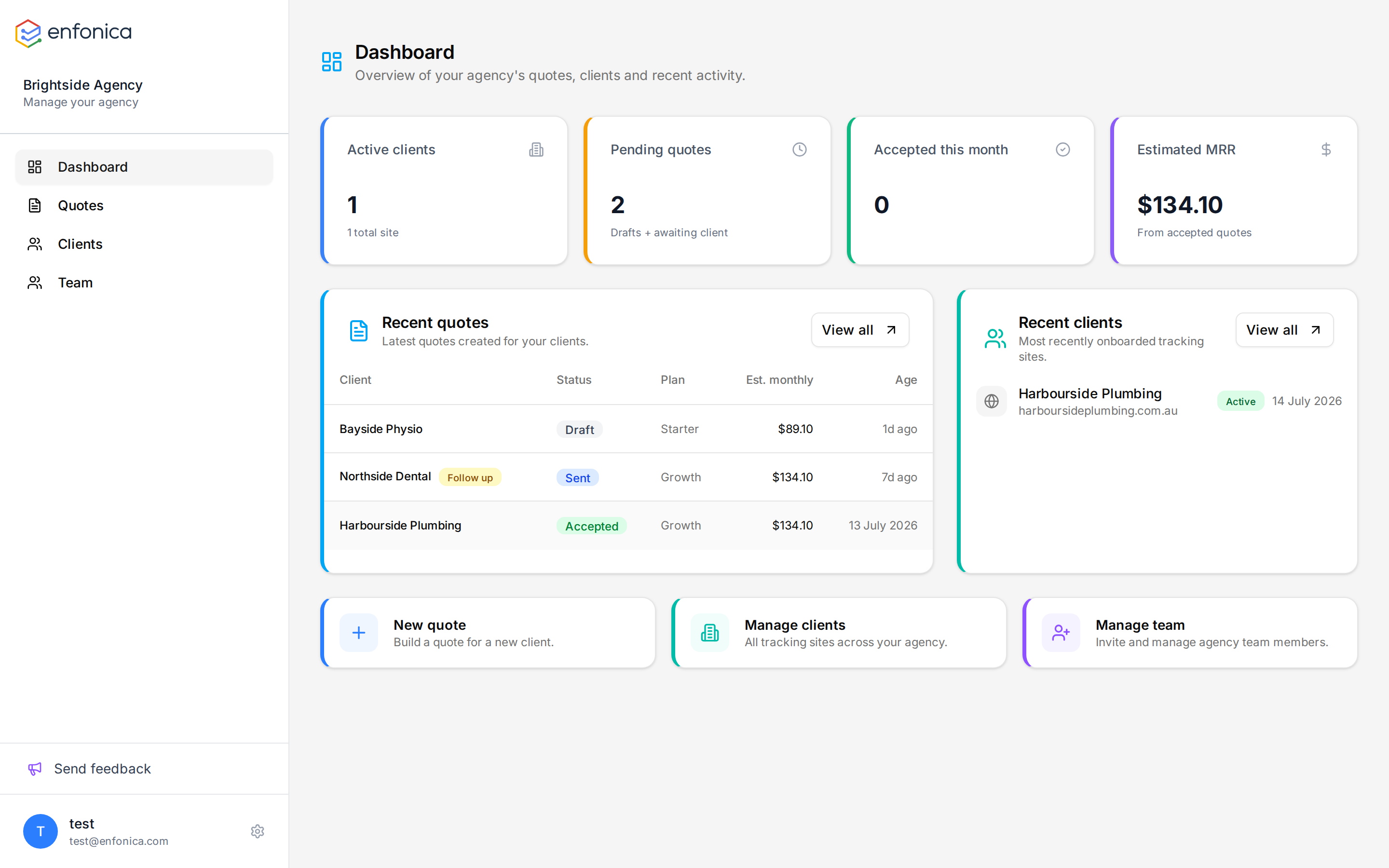
When you sign in, the Console opens your agency's Dashboard: active clients, pending quotes, quotes accepted this month, estimated monthly revenue across your clients, recent quotes with a Follow up marker on any that have waited more than 7 days, and recently onboarded sites. Quotes, Clients and Team are in the sidebar.