Menu step
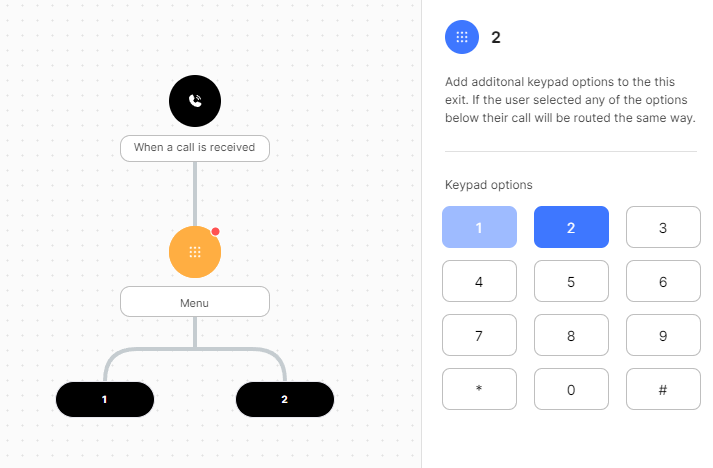
The Menu step presents keypad options to the caller, such as "press 1 for sales or 2 for support", and routes the call by the key pressed. This kind of menu is often called an IVR.
Configuration
| Field | Description |
|---|---|
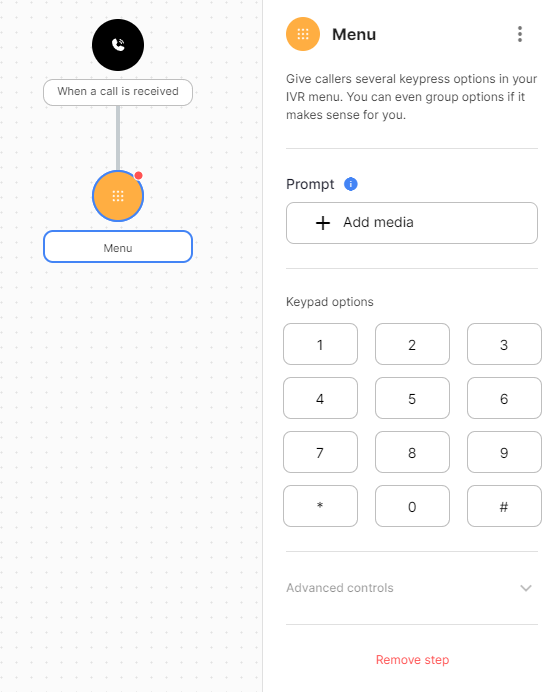
| Prompt | Audio that tells the caller the options, from the media library or text-to-speech. |
| Keypad | Adds an exit for each key you select. |
| Invalid | Audio played when the caller presses a key that has no exit. |
| Timeout | Audio played when the caller doesn't press anything in time. |
| Attempts | How many tries the caller gets. |
| Input timeout seconds | How long the caller has to press a key. |
| Allow input during prompt | Lets the caller press a key before the prompt finishes. The prompt stops and the call moves on. |
| Exit on timeout | Leaves the menu through the Incomplete exit on the first timeout. Use it for prompts like "or hold to speak to reception". |
Exits
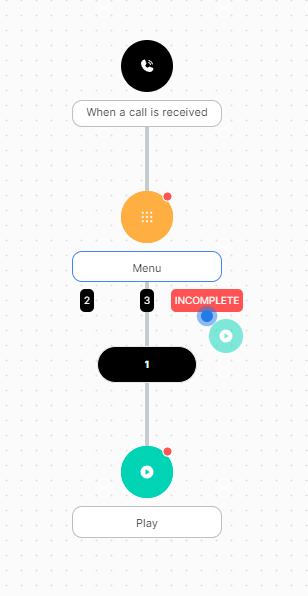
Add exits with the Keypad field or by dropping a step on a named dropzone.
| Type | Description |
|---|---|
1 to 9, 0, *, # |
Taken when the caller presses that key. |
| Incomplete | Taken when the caller uses all attempts or the menu times out. |