Create a number pool and its rules
A number pool is a set of tracking numbers that the script hands out to website visitors. Rules tell the script which number on the page to replace and how. Create one pool for each phone number that appears on the website.
Before you begin
- You have the Owner or Editor role in the project.
- You know each phone number that appears on the website, and which pages it appears on.
Create the pool
- In the Enfonica Console, open the tracking site and click Number pools > Add Pool.
- In Display name, enter a name that says what the pool is for, such as
Main website number. - Optionally, under Incoming call handlers, add routing for this pool. Leave it empty to use the site's routing. See Route incoming calls.
- Click Create number pool.
The Console shows "Number pool created." and opens the pool. The pool is active but has no rules and no numbers yet.
Add a rule
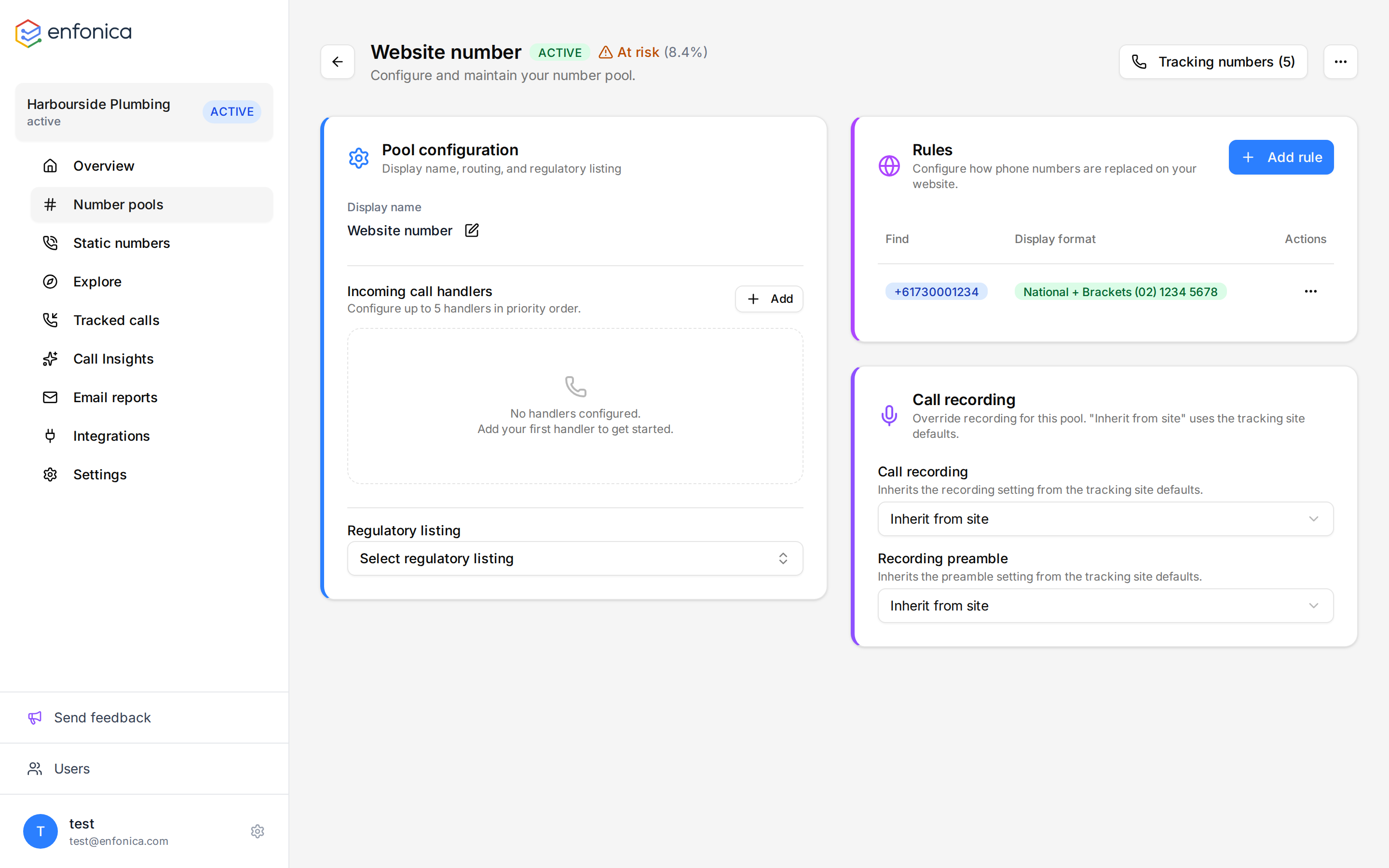
A rule needs the number to find and the format to display. One rule is enough for most websites. Add more rules only to vary the format, the paths or the traffic scope for the same number.
- Open the pool. Under Rules, click Add rule.
- In Find Number, enter the phone number that appears on the website, in national or international format, such as
02 8123 4567or+61281234567. The script matches the number in any usual format on the page, so you don't need one rule per format. - In Display Format, choose how the tracking number appears on the page. The default is National.
- Optionally, in Allowed Path Prefixes, enter the paths this rule applies to, one per line or separated by commas, such as
/contact, /pricing. Leave it blank to apply the rule to every page. - Optionally, select Apply only to paid traffic to swap the number only for visitors who arrived from a paid campaign.
- Check the preview, then click Create Rule.
The rule appears under Rules and applies to new page views straight away.
Display formats
| Format | Example |
|---|---|
| E.164 | +61281234567 |
| National | 02 8123 4567 |
| National + brackets | (02) 8123 4567 |
The display format is for the number visitors see. A tel: link always dials the number in E.164
(tel:+61281234567), whichever format is chosen.
Tip
Choose the format the website already uses so the swap isn't noticeable.
Having trouble? See The tracking number looks wrong on your website in the Help Center.
Paid traffic
A visit counts as paid traffic when its landing page, or the page being viewed, has an ad click ID or a paid utm_medium in its URL:
- Click IDs:
gclid,gbraid,wbraidanddclidfrom Google,msclkidfrom Microsoft Ads,ttclidfrom TikTok,li_fat_idfrom LinkedIn andtwclidfrom X. Google Ads auto-tagging is enough. A Metafbclidon its own doesn't count, so give Meta ads a paid medium such aspaid_social. - Mediums: any medium that contains
cp(such ascpcorcpm) or starts withpaid(such aspaid_social), andppc,retargeting,display,banner,expandable,interstitialandad. Case doesn't matter.
One pool per number
All numbers in a pool share the pool's rules, routing and recording settings, and a visitor is assigned one number per pool. If a website shows two numbers that go to different places, such as sales and support, create two pools, each with its own rule and handler.
Pause a pool
Pausing a pool stops its numbers from being assigned to visitors. Calls to its numbers still connect and are logged.
- Open the pool, open the actions menu, and click Pause Pool. To resume, click Resume Pool in the same menu.
The pool's status changes, and the sidebar and pool list show it as paused.
Delete a pool
This can't be undone
Deleting a pool removes its rules and its tracking numbers, releases their phone numbers, and cancels any pending orders.
- Open the pool, open the actions menu, and click Delete Pool.
- Confirm the deletion.
The Console shows "Number pool deleted."