Size a number pool
A pool needs enough numbers that two visitors who are on the website at the same time don't see the same number. Too few numbers lower attribution confidence; too many cost money. This page explains how to estimate the size, and how to read the pool's health after launch.
How assignment works
When a visitor arrives, Call Tracking gives them the pool's least-used number: one that no other visitor holds, if there is one. When every number is held, the visitor shares a number with someone else. The assignment is renewed while the visitor is active and lapses about 2 minutes after they leave or go idle. The number can then go to another visitor.
So how many numbers you need depends on how many visitors are on the website at the same time, not on monthly traffic. A bigger pool also means a number changes hands less often, so a visitor who calls a few minutes after leaving the website is less likely to be confused with someone else. See Why attribution can be missing or ambiguous.
Having trouble? See Why does the tracking number change during a visit? in the Help Center.
Estimate the size
Use the capacity calculator when you order numbers, or the same formula by hand:
busiest hour = website sessions per month ÷ 30 × 12%
numbers = ceil( (busiest hour × average time on page in minutes ÷ 60) × pages with number × safety factor )
- Website sessions per month is the site's monthly traffic. The calculator assumes about 12% of a day's sessions arrive in the busiest hour.
- Average time on page is how long a visitor spends on pages that show the number. Two minutes is a reasonable starting point.
- Pages with number is the share of pages that show the number. Use 100% if it's in the header or footer of every page.
- Safety factor covers bursts. The calculator's default is 1.5.
For example, a website with 9,000 sessions a month has about 300 a day and about 36 in its busiest hour. With a 2-minute average, the number on every page and a safety factor of 1.5: (36 × 2 ÷ 60) × 100% × 1.5 = 1.8, rounded up to 2 numbers.
Start with the plan's numbers
Each plan includes numbers sized for its traffic band: 2 numbers for up to 1,000 sessions a month on Starter, 5 for up to 10,000 on Growth, and 10 for up to 25,000 on Pro. Start there and adjust after a week of real traffic.
Read the pool's health
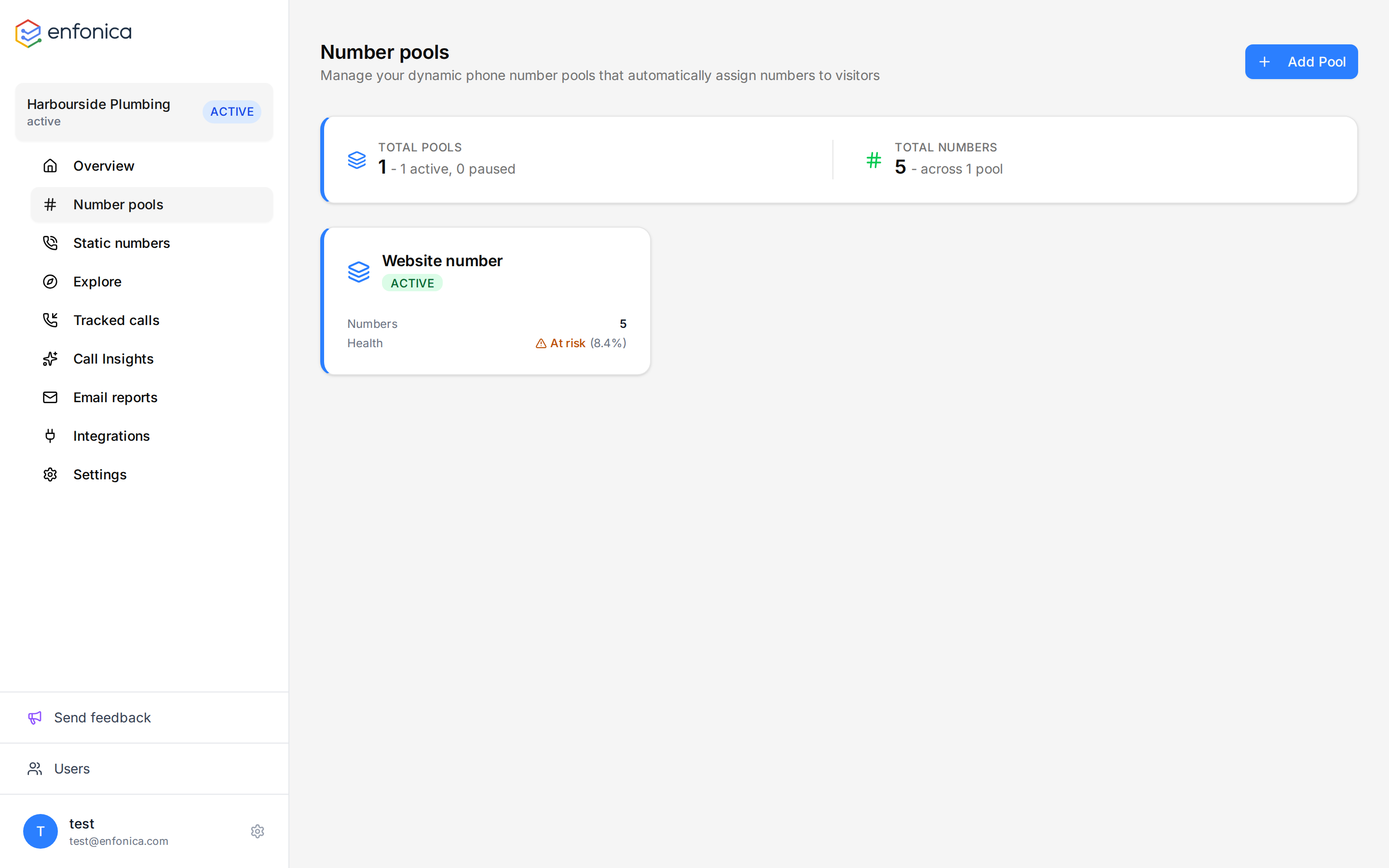
After the website has had traffic, open Number pools. Each pool card shows a health status based on the last 7 days:
| Status | Exhaustion | Meaning |
|---|---|---|
| Healthy | 5% or less | Visitors almost always get a number nobody else is using. |
| At risk | Up to 15% | Some visitors are assigned a number that another active visitor also has. Attribution for those calls can be Medium or Low confidence. |
| Critical | More than 15% | Numbers are reused often. Add numbers. |
Exhaustion is the share of assignments in the period where the number chosen was already assigned to another active visitor.
Add numbers
When health is At risk or Critical, order more numbers. See Add numbers to a pool. Numbers beyond the plan's inclusion are billed monthly; see Manage billing and your plan.
Enterprise accounts
There is no plan inclusion. Start with the calculator's recommendation. See Two kinds of accounts.
Reduce reuse without adding numbers
- Use Allowed Path Prefixes on the rule so the number is only swapped on pages visitors call from, such as contact and service pages.
- Use Apply only to paid traffic if you only need to attribute paid campaigns. Organic visitors then see the original number.