Integrations overview
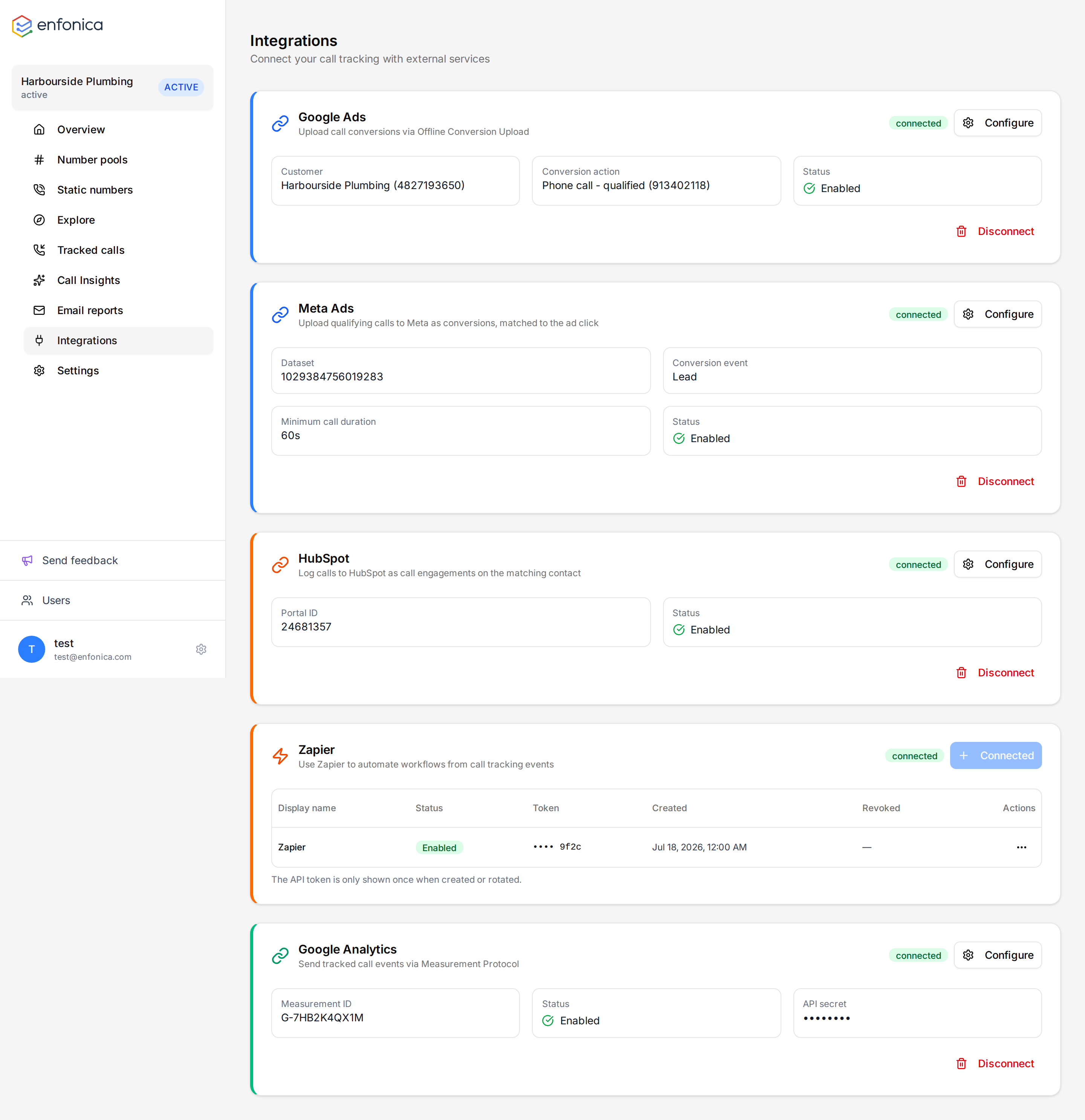
Integrations send tracked calls to the systems a client already uses. Each is set up per tracking site under Integrations, and each has its own rules for which calls it sends.
| Integration | What it sends | Needs |
|---|---|---|
| Google Analytics 4 | A phone_call event with attribution, labels and summary |
Measurement ID and API secret |
| Google Ads | A conversion tied to the ad click | A Google sign-in with access to the client's Google Ads account, and a click ID on the session |
| Meta Ads | A conversion event to a dataset | A Meta sign-in that shares the business's dataset and the ad account the ads run from, and a Meta click ID on the session |
| HubSpot | A call record on the matching contact, with an optional follow-up task | A HubSpot sign-in that can install apps |
| Zapier | A call.completed trigger with the full call |
An API token, generated in the Enfonica Console |
When calls are sent
- Calls are sent after they end, never while they are in progress, because duration and outcome aren't final until then.
- If the call was recorded, the send waits until the transcript is ready, and, when AI Call Insights is on, until the labels and summary are ready too. This is usually a few minutes after the call.
- Calls to static tracking numbers are sent to Google Analytics 4, HubSpot and Zapier, but not to Google Ads or Meta Ads, because they have no click ID.
- Each call is sent to each integration once. Editing labels or notes afterwards doesn't send it again.
- If the tracking site is paused, integrations are paused too.
Minimum call duration
Google Analytics 4, Google Ads and Meta Ads have a Minimum call duration (seconds) setting. Only answered calls that were connected for at least that long are sent. The default is 60 seconds, which excludes wrong numbers and quick hang-ups. Set it to 0 to send every call, including missed calls.
Label filters
When AI Call Insights is on, Google Ads and Meta Ads can be limited to calls that carry one of the labels you choose, such as Qualified or Booked. Leave the filter empty to send every eligible call. See Set up AI Call Insights.
Delivery status
Each call's page shows a chip for each integration the call was sent to, such as GA4 · pushed or Meta Ads · failed. A failed chip has the reason and what to do under it. Calls are sent once they've ended and any recording, transcription and AI Call Insights analysis is done, so a call that's in progress or still being processed has no chips yet. If a processed call has no chip for an integration, it wasn't eligible for it.
If a delivery to Google Analytics 4, Google Ads or Meta Ads fails because of a temporary problem, such as the service being briefly unavailable, it's retried a few times over about half an hour. Other failures, such as a revoked connection or a rejected request, aren't retried. HubSpot and Zapier deliveries are attempted once.
Each card on the Integrations page also shows how many calls failed to push in the last 7 days, with the latest reason and a link to those calls. See the integration's page for common causes.
What isn't sent
The caller's phone number is never sent to Google Analytics 4, Google Ads or Meta Ads. Recordings aren't sent to any integration, and transcripts are sent only to HubSpot, when Include transcript is on. HubSpot and Zapier receive the caller's number, and both receive the AI summary and labels.
Connect, configure, disconnect
- In the Console, open the tracking site and click Integrations.
- On the integration's card, click Connect and follow the steps on its page.
- Click Configure to change settings or turn the integration on or off.
- Click Disconnect to remove the connection and stop sending. The client's data in the other system isn't affected.
One connection of each type is allowed per tracking site.